Soriston Practice
Practise, repeat, master.
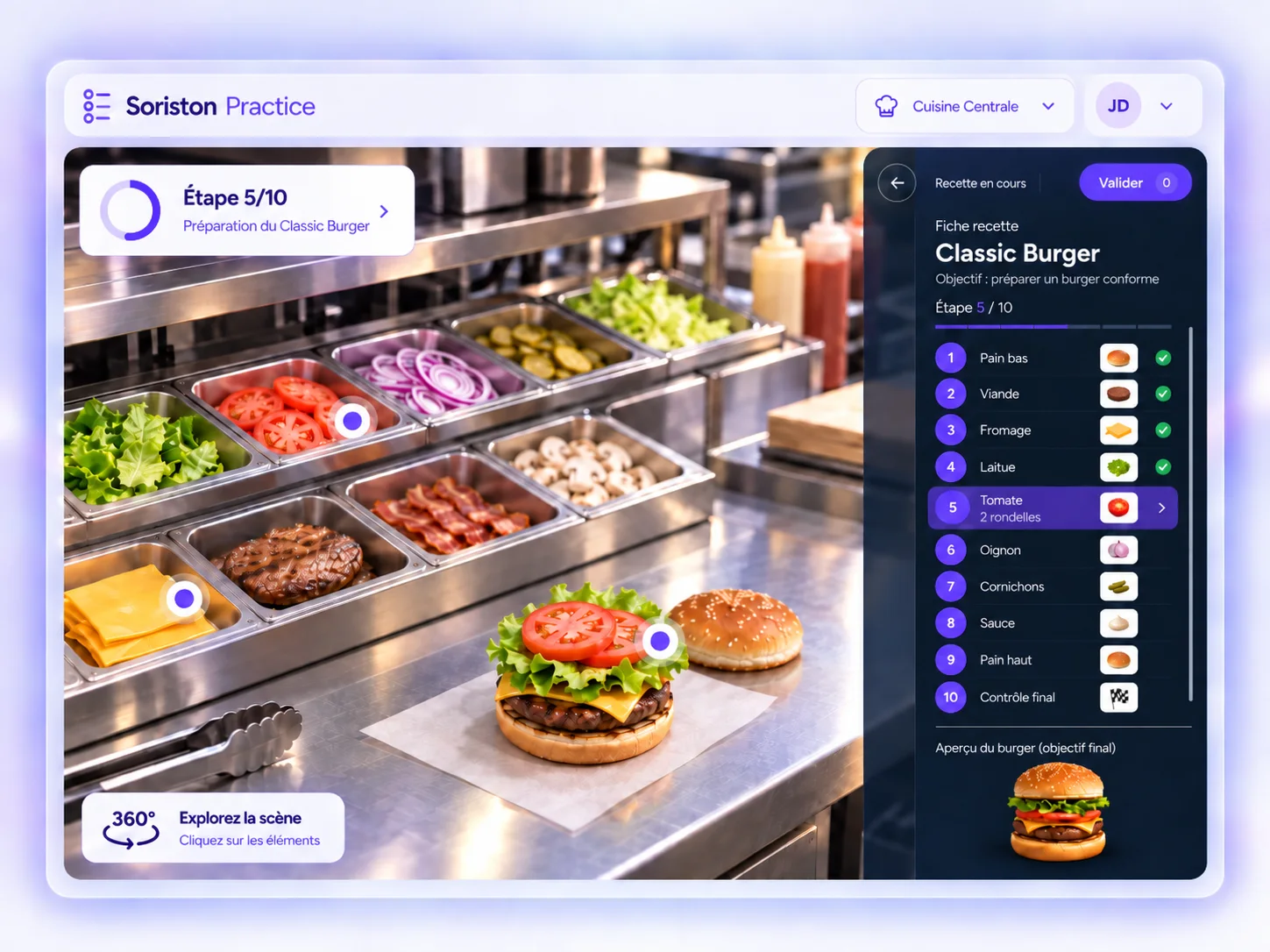
- 360° photo of a work environment
- Reproduce moves, choices and sequences
- Repeat until mastered
Starting from your environments, procedures and real situations, Soriston creates interactive training accessible on VR headset, mobile, tablet or desktop. Your teams practise, decide, start again and progress before acting on the ground.
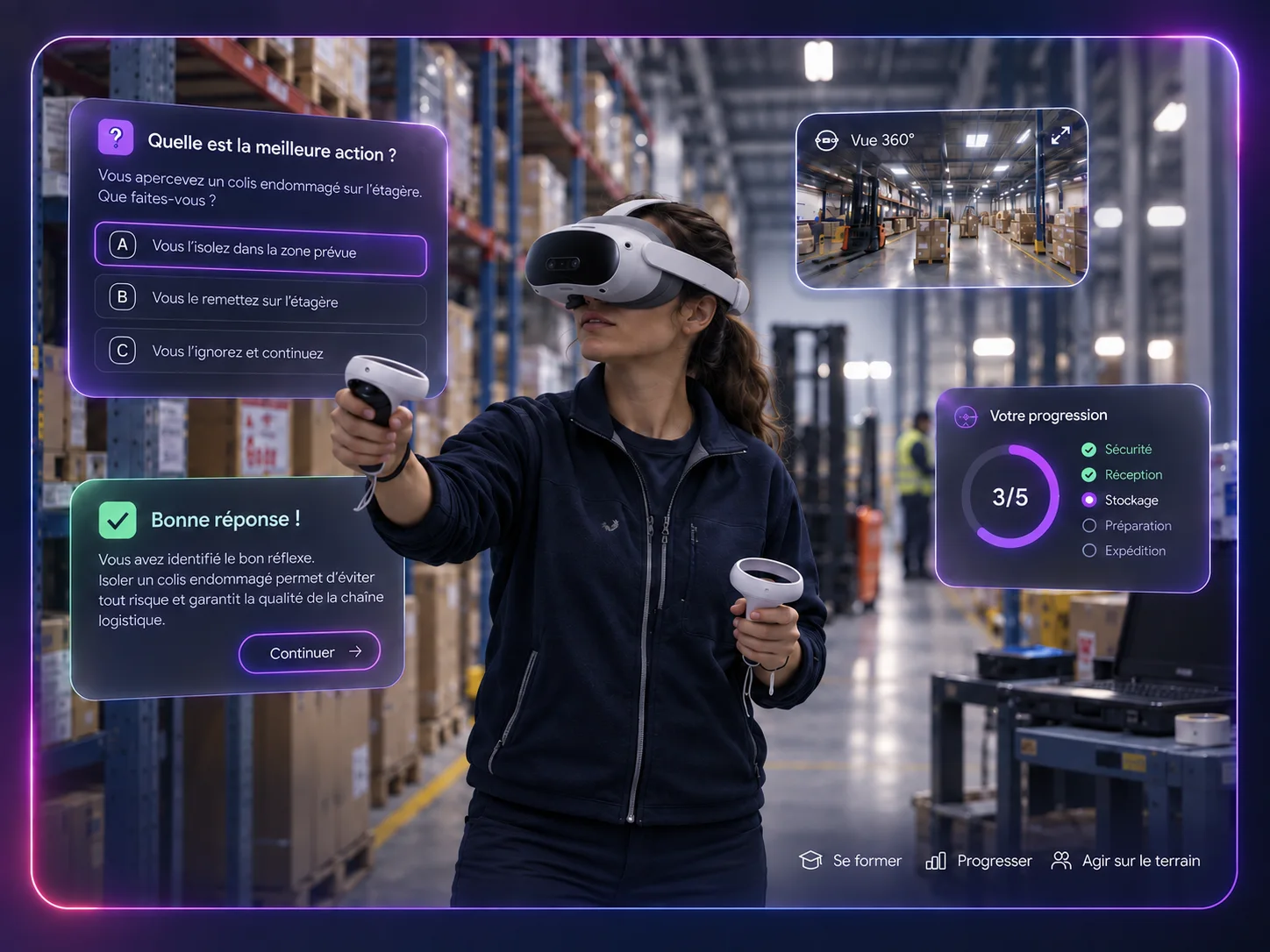
Soriston combines two complementary approaches: Practice to practise and repeat, Immersive to live the situation and decide.
Practise, repeat, master.
Observe, decide, see the consequences.
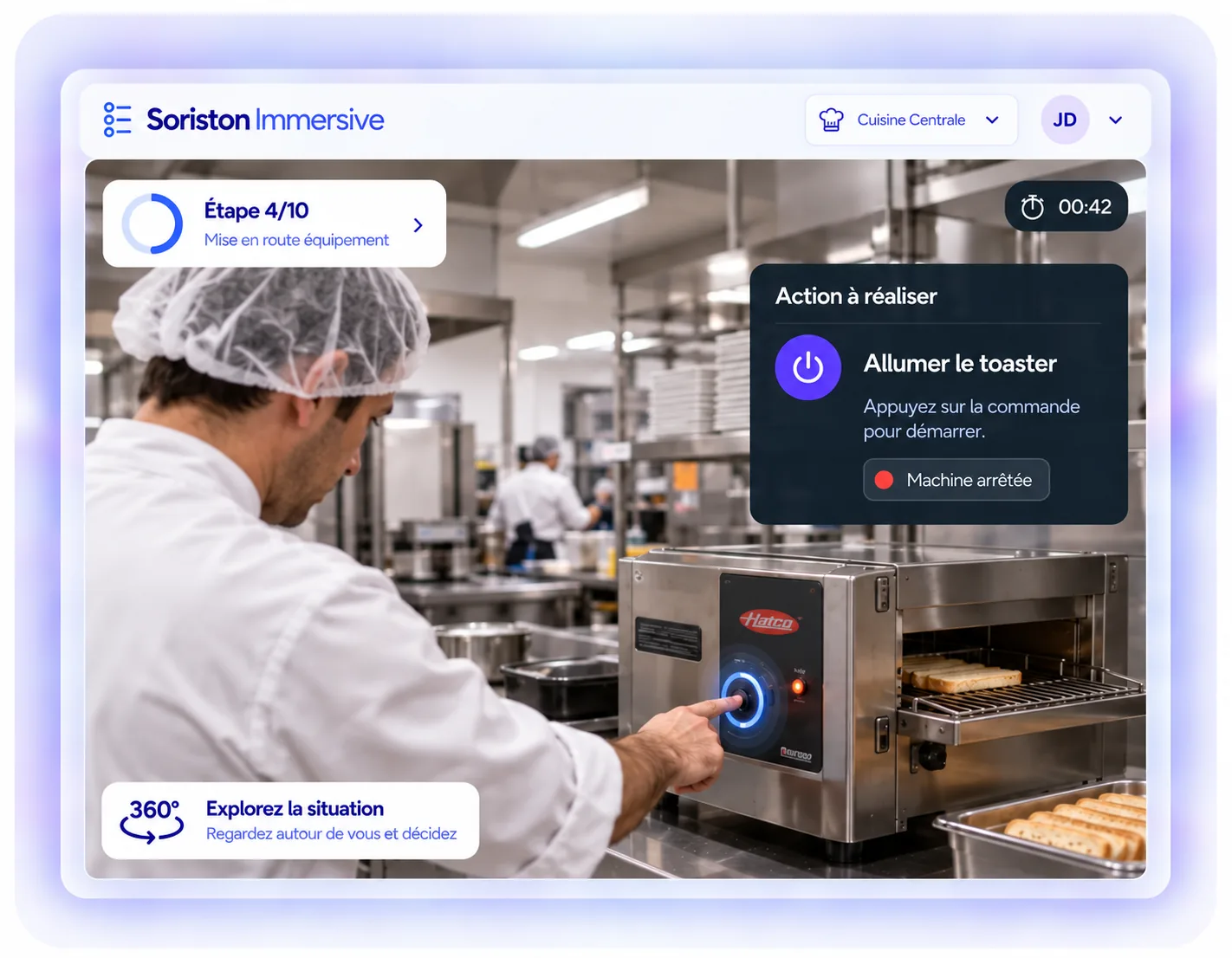
Practice to practise and repeat. Immersive to live the situation and decide.
Depending on the objective, the learner has to spot information, reproduce an action or make a decision in a given situation.
Soriston supports the learner just enough to help them progress, without acting in their place.
No help displayed. The learner acts alone.
A short sentence directs attention without giving the answer.
The learner can request visual or audio help whenever needed.
Help adapts to the level of autonomy required.
Soriston is accessible on VR headset, mobile, tablet or desktop depending on the content and the use, with offline operation where needed.
Full immersion to live the situation
Simple access to get started quickly
The right format alongside the work
Comfortable viewing and easy rollout
Offline mode lets training continue even with no network.
Centralise your content, learners, groups, access and sessions from the Soriston platform.
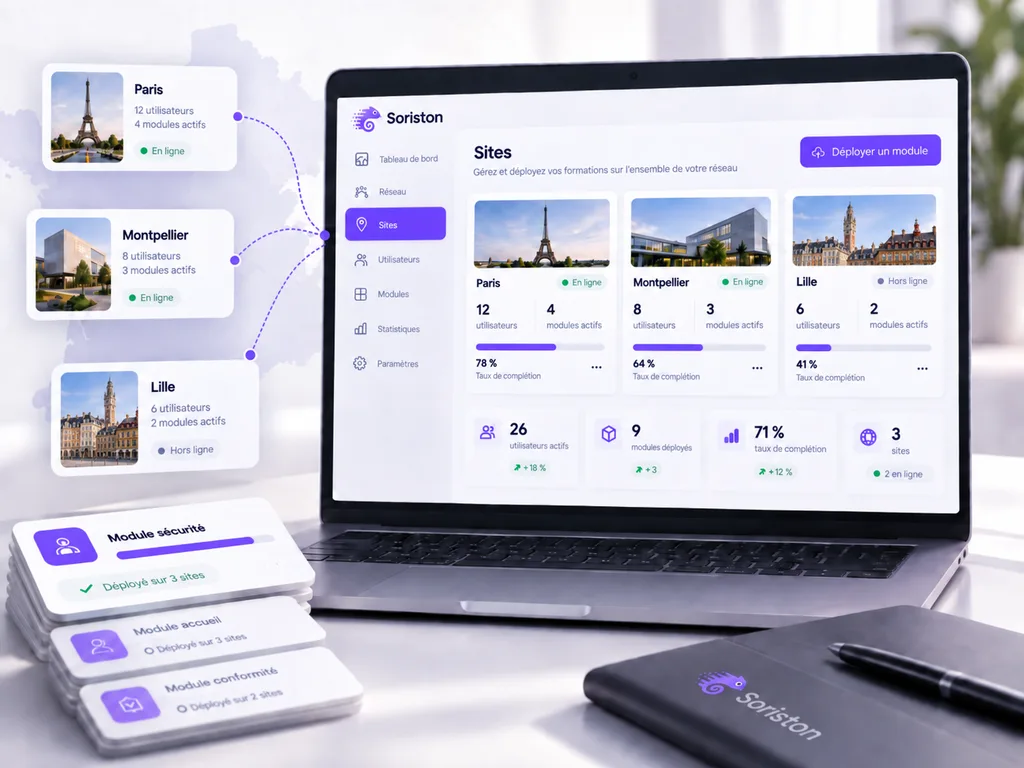
Every project starts from a real work situation, then becomes interactive training ready for your teams to use.
Content can evolve with your procedures, with new filming where needed.
Soriston Practice turns your real working environment, captured as a 360° photo, into an interactive training space. The learner explores their environment, selects the right products, tools or equipment and repeats the expected moves and sequences.
Soriston Immersive builds on real situations filmed in 360° video. The learner watches a scene, acts, makes decisions and discovers the consequences of those choices.
The two approaches complement each other: Practice to practise and repeat. Immersive to live the situation and decide.
A 3D experience requires rebuilding the environment, the objects and their behaviour digitally.
Soriston relies mainly on 360° capture of the real environment, as photos for Practice and video for Immersive. That means learners visually recognise the actual stations, equipment and situations of the company, without modelling everything in 3D.
Depending on the need, 3D can still be relevant for certain kinds of simulation.
Depending on the scenario, the learner has to observe their environment, look for the useful information, act or make a decision.
Their choice then produces a consequence or feedback, and they can start again to progress.
The logic stays the same: Action → Consequence → Learning.
Soriston favours short sequences, each centred on one main operational objective.
A standard Immersive sequence can run up to around 4 minutes of final content, with no imposed minimum.
A path or a module can then group several sequences depending on the skills to work on.
Yes, where the scenario provides for it.
Soriston can offer several levels of guidance: start with no help, display a subtle hint if needed, then provide more explicit guidance.
The aim is to help enough to enable progress, without handing over the answer straight away.
Yes. Soriston can be used on VR headset, mobile, tablet or desktop, depending on the content and the teaching format.
The headset gives the fullest immersion, but it is not essential to start using the platform.
Not necessarily. Soriston provides for offline operation in certain uses, in particular where teams have to train on sites with no network or an unstable one. Synchronisation depends on the device and the setup in use.
Yes. That is precisely the principle behind Soriston. Training can use your environment, your equipment, your products, your vocabulary and your procedures so that the situations match the reality your teams face.
The project starts by scoping the teaching objective and the work situation to reproduce. The environment is then captured as a 360° photo or video, then enriched with the necessary interactions, decisions, help and feedback. The content is tested, approved then loaded into Soriston before rollout to the teams.
It depends on the number of sequences, the level of customisation, the approvals needed and the availability of the filming location. The schedule is set during project scoping rather than imposing the same lead time on every client.
Yes. Texts, media, interactions or settings can be updated where no new filming is required. If the environment, the equipment or the filmed situation changes substantially, new filming may be needed.
Yes. Content created once can be deployed to several teams or locations where the procedure and the situation are common. If some sites differ significantly, the content can be adapted or extended as needed.
Yes. The platform lets you organise users, groups, content and sites with different levels of rights. Trainers and administrators then reach the information matching their perimeter.
Yes. Soriston is designed to handle content and interfaces in several languages. The scope of translation or localisation then depends on the project and the content to deploy.
Yes. Actions carried out in Soriston can feed indicators on decisions, errors, use of help, success or progress. Authorised profiles can then consult the results matching their perimeter.
For more on this, see the Tracking & performance page.
The results observed in Soriston may constitute personal data. They are processed within a GDPR-compliant framework. The client organisation remains the data controller and Pixeo Group, the publisher of Soriston, acts as processor. Detailed terms are set out in the privacy policy.
15 minutes to understand your context and your challenges, and see whether Soriston can genuinely help you.
About 15 min · No commitment · Nothing to install